

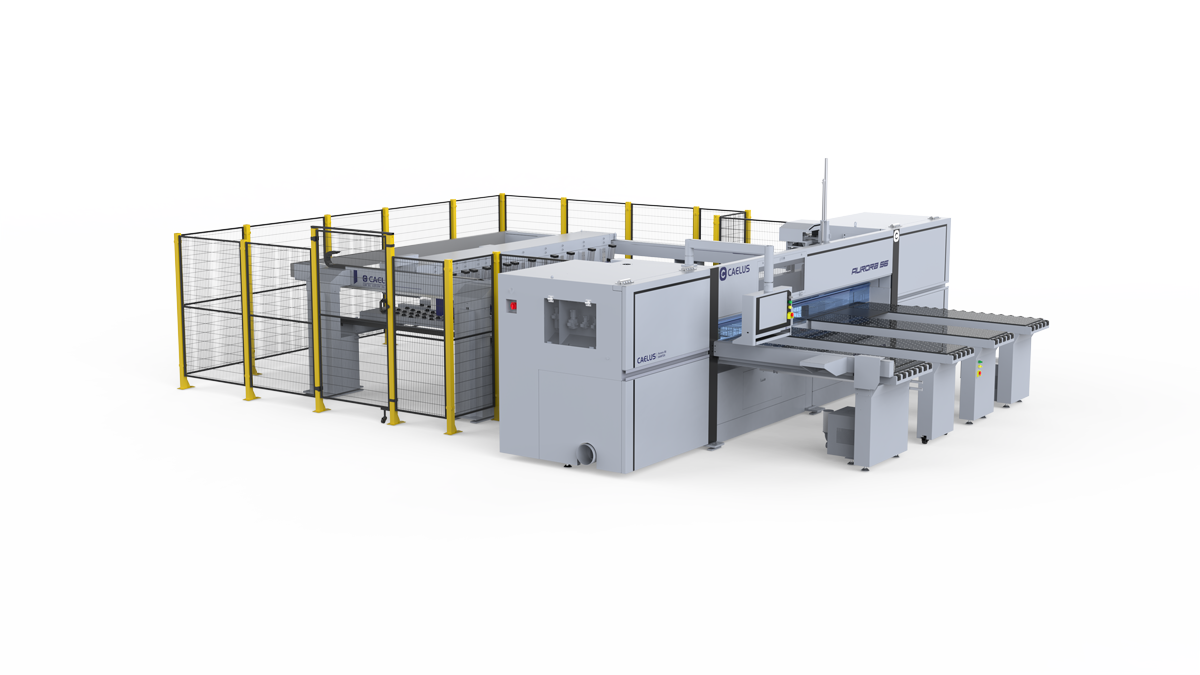
Common CNC panel saw problems include inaccurate sizes, out of square cuts, chipped laminate edges, burn marks, vibration, weak clamping, axis alarms, poor dust extraction, and cut list errors. Causes often involve blade condition, panel positioning, air pressure, motion components, extraction, or job data.
Fixes start with stopping unsafe operation, recording symptoms, and checking one possible cause at a time. Operators can verify job data, panel position, visible pressure, and extraction status. Recurring alarms, abnormal movement, electrical faults, or mechanical alignment issues require authorized service.
Before Troubleshooting: Stop, Isolate, or Continue?
Stop cutting if you notice smoke, a burning smell, strong vibration, unusual noise, a damaged blade, an unstable panel, unexpected movement, sudden pressure loss, or a safety device fault.
Do not reach into cutting areas or remove a jam while blades, pushers, pressure beams, or clamps can move. Follow site energy control procedures before service work.
A trained operator may record alarms, confirm program data, inspect panel position from a safe location, and check visible pressure or extraction status. Electrical work, blade servicing, interlock faults, servo settings, and mechanical alignment belong with authorized personnel. If a fault returns, stop and request technical support.
Quick CNC Panel Saw Troubleshooting Chart
Record original symptoms and change one factor at a time.
| Symptom | Possible areas | Safe first check |
|---|---|---|
| Will not start or stops | Alarm, safety circuit, air, program | Record message and visible status |
| Wrong or inconsistent sizes | Program, kerf, reference, clamps, pusher | Measure a first piece |
| Not square or straight | Reference edge, support, positioning, carriage | Measure diagonals on scrap |
| Chipped edges | Main blade, scoring saw, support, feed | Note affected face |
| Burns or roughness | Blade, material, feed, resistance | Stop for smoke or heavy load |
| Vibration or noise | Blade, spindle, carriage, guides | Inspect from a safe position |
| Panel slips | Clamps, pressure beam, air, surfaces | Check visible pressure and contact |
| Axis alarm | Obstruction, reference, sensor, servo | Record code and cycle step |
| Weak extraction | Collector, hood, duct, filter | Follow approved cleaning procedure |
| Data or connection error | Job data, file, units, interface | Verify file and job status |
Contact authorized service when a symptom returns, involves a safety device, or requires access inside guarding.
1. CNC Panel Saw Will Not Start or Stops During a Cycle
Record a full alarm message before resetting it. Confirm selected mode and job, closed guards, documented air pressure, and connected system status.
A stop during clamping, positioning, or cutting may involve an interlock, pressure loss, blocked movement, program condition, or drive fault. Do not bypass sensors or repeatedly clear alarms. If a safety circuit remains open, movement becomes unexpected, or a code returns, send support its screenshot, cycle step, and recent changes.
2. Cut Sizes Are Wrong or Vary Between Panels
A consistent offset often points to programmed dimensions, units, kerf, compensation data, or measurement method. Random variation is more likely related to panel position, clamping, pusher repeatability, or debris on reference surfaces. Gradual drift may involve blade condition, guide contamination, air pressure, or mechanical play.
Measure a first piece and one repeat cut using identical material. Change one factor at a time. Persistent variation may require a broader review of panel saw cutting accuracy and service inspection of positioning systems.
3. Cuts Are Not Square or Straight
Check whether raw material has a reliable reference edge, sits flat, and remains supported. Measure both diagonals, then repeat a cut on scrap to separate material and setup issues from machine issues.
If an edge is curved or diagonal error changes between cuts, pusher, reference system, saw carriage, blade runout, or guide condition may need inspection. Mechanical alignment belongs with trained service personnel.
4. Chipping on Melamine or Laminated Panels
Identify where chipping appears. On many configurations, lower face damage directs attention to scoring saw condition, depth, alignment, or kerf relationship. Upper face damage may relate to main blade condition, tooth geometry, feed, or panel support. Damage on both faces can indicate worn blades, unstable holding, or unsuitable setup.
After safe shutdown, inspect visible blade condition and confirm setup matches processed material. Test results on scrap. Scoring saw or spindle alignment should follow model service procedures.
5. Burn Marks, Rough Edges, or Excessive Cutting Resistance
Burns or rough edges may result from a dull or contaminated blade, unsuitable tooth geometry, unstable blade movement, or feed conditions that create excess heat.
Use settings approved for each material, then make a controlled test cut. Stop if smoke, heavy resistance, or strong heat remains. Repeated burning after blade and program checks may require spindle, drive, or saw carriage inspection.
6. Excessive Vibration, Unusual Noise, or Rapid Blade Wear
Stop and record when new vibration, impact noise, rubbing sounds, or rapid blade wear occurs. After safe isolation, trained personnel may check visible blade damage, contamination, installation, or accessible loose items permitted by machine instructions.
If vibration continues with a suitable blade, request inspection of blade runout, spindle bearings, guides, drive components, and carriage alignment. Avoid further test cuts when vibration is increasing.
7. Panels Slip or Clamps Do Not Hold Consistently
Check panel position, holding surfaces, debris, clamp contact, pressure beam movement, and visible air pressure. Use pressure values specified for each installed model and material.
Panel Saw Pilot S3 uses high density clamps, a Festo filter regulator lubricator unit, an electronic pressure gauge, and a linear guide for its pressure beam. Optional adaptive pneumatic control can adjust pressure for different panels. These features support stable holding and easier status checks.
Request inspection if pressure drops, clamping varies, or a panel shifts again.
8. Pusher, Homing, Limit, or Servo Alarms
Record alarm code, active axis, cycle step, and panel position before clearing a message. Possible causes include blocked travel, lost reference, sensor status, drive condition, or sequence data. Check only visible obstructions and operator accessible screens.
Pilot S3 includes smart saw carriage positioning and servo controlled main saw elevation. Panel Saw Aurora S6 can add a linear motor driven saw carriage and twin pusher system. These designs support controlled positioning, but repeated alarms require diagnosis. Contact service for unexpected movement, failed reference recovery, or returning codes.
9. Weak Dust Extraction or Recurring Debris
Check collector status, accessible hoods, ducts, filters, and connections. Avoid methods that spread wood dust into air or internal components.
Pilot S3 provides a quick clean window for accessible waste removal, while its saw carriage guide is designed for dust resistance. These features can simplify routine cleaning, although extraction performance still depends on collector capacity, duct condition, filters, and maintenance. Stop production if dust affects movement, visibility, or safe operation.
10. Cut List, Labeling, or Storage Connection Errors
Confirm file version, units, material, thickness, grain direction, kerf, label template, and job status. Identify whether interruption began in optimization software, panel saw control, label system, or storage connection.
Aurora S6 can add automatic labeling, intelligent cutting path closing, and storage connection. These options support connected production, but results still depend on consistent job data and interface settings.
Validate one job and one panel before batch production.
How to Verify a Fix
Use identical material, blade, and program that produced an original symptom. Change one factor, cut a scrap piece, then measure dimensions, diagonals, and edge quality. Run one repeat cut.
Record each changed setting, result, and remaining alarm or noise. Resume production after output meets an approved drawing and test cuts remain stable. If results vary, restore approved settings where applicable and request service review.
Preventive Maintenance Checklist
Base maintenance on machine instructions, operating hours, materials, and production conditions. Inspect visible blade condition, guards, clamps, pressure status, work surfaces, and extraction before each shift. Record noise, vibration, alarms, or size changes.
Scheduled work may include blade service, lubrication, calibration, pneumatic checks, guide inspection, filter care, and safety device testing. Assign tasks by training and authorization. Avoid lubricant types, intervals, or values taken from another model.
Information to Send Technical Support
Prepare machine model, serial number, controller version, alarm code, timestamp, and cycle step. Include material, thickness, stack height, blade details, program name, measured error, and recent changes.
Photos, screenshots, and a short video can help when captured safely. Also report visible air pressure and whether a fault repeats with identical job data.
Caelus Features Related to Stable Operation
Caelus combines mechanical stability, controlled motion, pneumatic monitoring, and connected production functions across its panel saw range.
Pilot S3 includes a heavy duty frame, smart carriage positioning, Festo pneumatic unit, pressure gauge, dust resistant guide, high density clamps, and quick clean window. Optional adaptive pressure control supports different panels.
Aurora S6 can add linear motor driven carriage, twin pusher, laser curve detection, labeling, path closing, and storage connection. Available features vary by configuration.
For a quote, provide material, panel size, production target, automation requirements, and service needs.
FAQ
Q1. Why is my CNC panel saw cutting wrong sizes?
A: Check program dimensions, units, kerf, panel reference, clamping, and pusher repeatability. Consistent offset and random variation often have different causes.
Q2. What causes chipping on laminated panels?
A: Blade condition, scoring saw setup, material support, feed, or unstable holding may contribute. Note whether damage appears on upper, lower, or both faces.
Q3. Can an operator reset a servo alarm?
A: Use an approved procedure and record each code first. Contact service if an alarm returns, movement becomes unexpected, or a safety circuit is involved.
Q4. How often should a CNC panel saw be calibrated?
A: Follow model instructions and production conditions. Check accuracy after blade changes, collisions, repeated size errors, or unexplained variation.
Q5. When should a panel saw blade be serviced?
A: Service or replace it when damage, missing teeth, increasing chipping, burning, vibration, or declining cut quality appears. Follow approved blade procedures.
Conclusion
Common CNC panel saw problems include inaccurate sizes, out of square cuts, chipped edges, burn marks, vibration, panel slippage, servo alarms, weak dust extraction and job data errors. Effective fixes begin with safe shutdown, symptom records, and checks of blades, clamps, air pressure, positioning, programs, and extraction. Test one change at a time and send recurring safety, electrical, or alignment faults to service personnel. Contact Caelus for a suitable panel saw solution and quote today.